I asked for a light mode and ended up redesigning my whole site
A small request for a light mode turned into a full redesign with Claude Design and Claude Code. What I built, what broke and what I learnt.
- 4 min read
- Claude CodeClaude DesignDesignNext.js
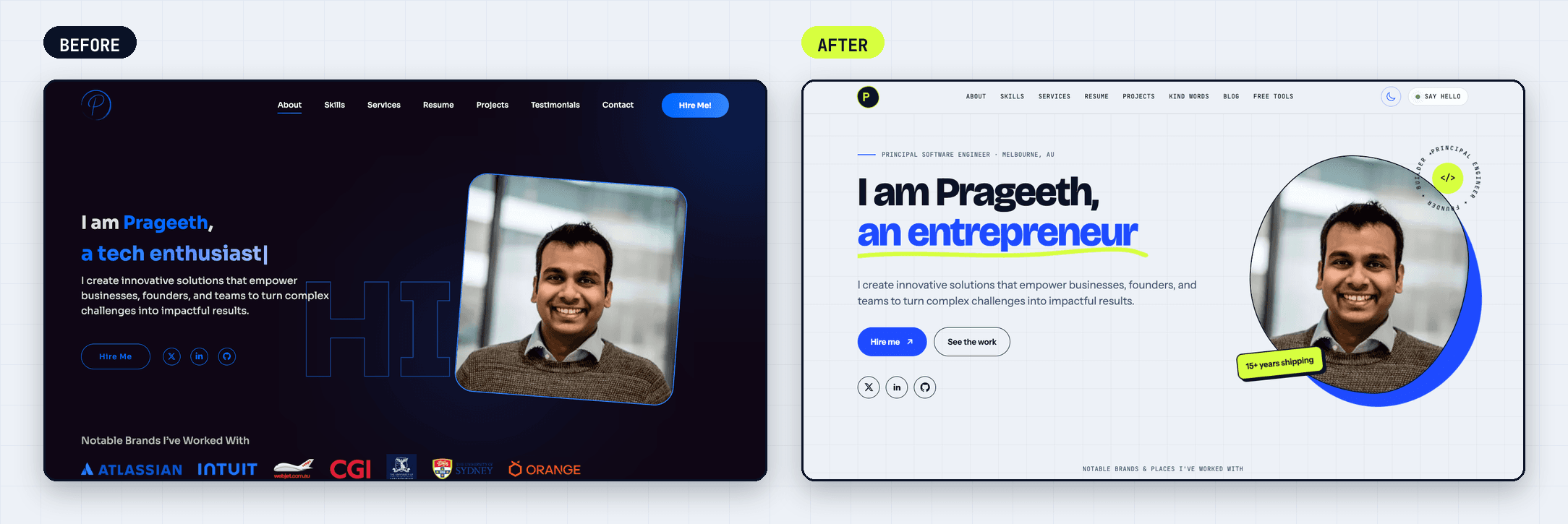
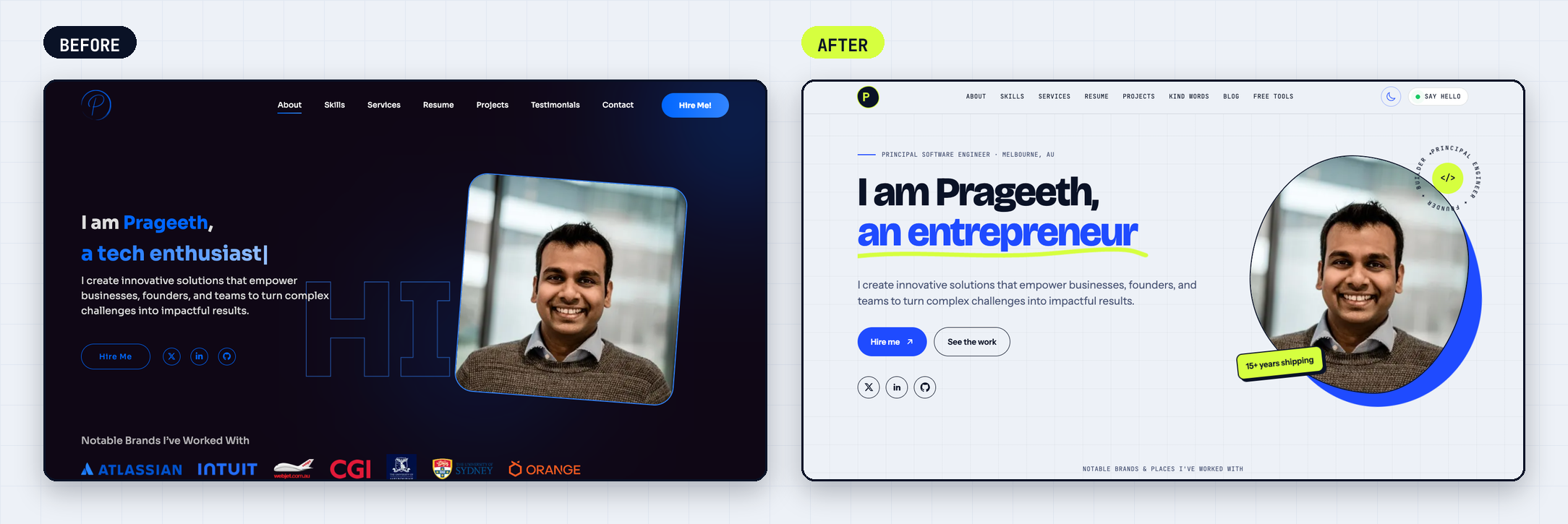
I asked for a light mode. That was the whole request. A while later I had a new home page, a rebuilt blog, new icons and a logo with a blinking cursor in it. None of it was planned: each step only made sense because of the last.
#The request that started it
My old site was outdated, built in React with the dark class hard-coded on <html>, so it only really had a dark mode. The newer pages were dark-only too, using classes like bg-black-color with no light equivalent, so flipping the theme gave white text on a white page.
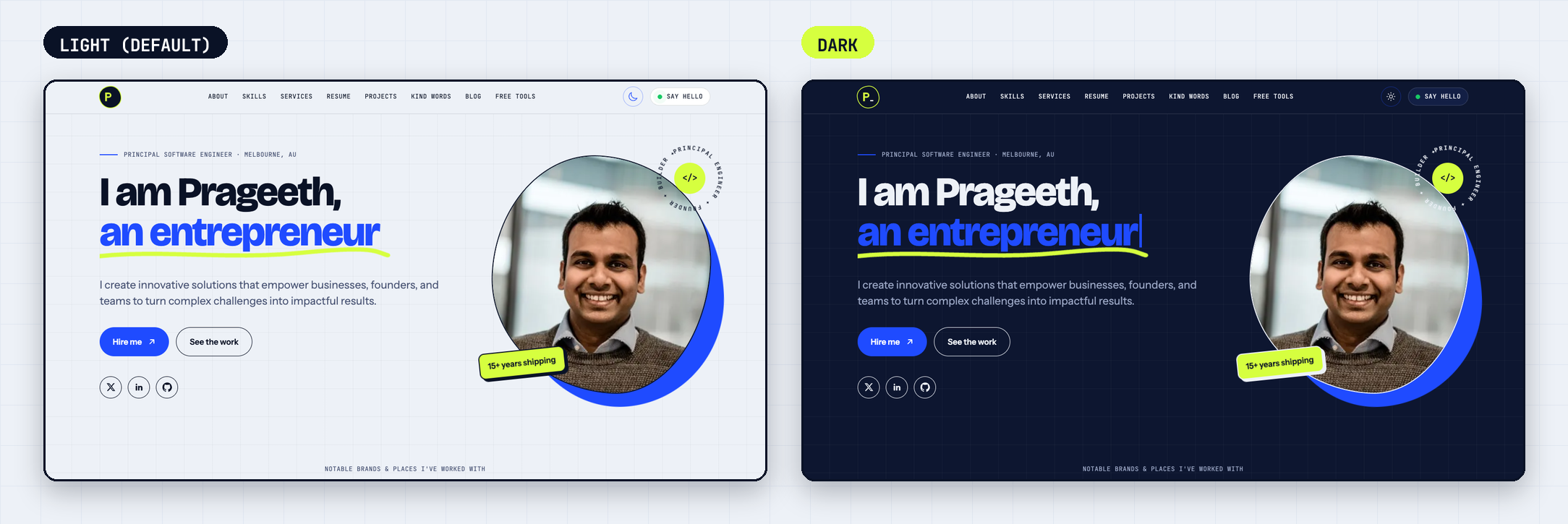
The dark look was good, so I left it alone and added a light version beside it. Claude Code found every colour class without a dark: partner and added one. A script did the mechanical cases and I fixed the rest by eye. Light is the default, and dark is remembered in localStorage.
#Then it got out of hand
With light mode working, the home page suddenly looked outdated. So I asked Claude Design for something polished, not like every other website, with the animations kept. It built live pages from my real content, so I could judge it as the actual site.
The first pass was good, then it was notes. Keep the typing headline. Put real logos in the brand strip, mouse-scrubbed. Add the contact form it forgot. Add a faint field of characters in the hero that the pointer reveals, then make it faster and half as strong. Specific notes beat rewriting the brief.
Claude Code ported each design into React, with the colours as CSS variables. Then the blog wanted the same treatment, and the favicon, and the share images. I went through four rounds of logo options, which is probably three too many. I ended on a dark blob with a lime ring and a blinking cursor after the P.
#The bugs hid in the other theme
All three only showed up when I checked both themes.
The black button. In light mode my "Hire me" button had black text and went black on hover. A rule making links inherit their colour beat my button class on specificity.
The blue slab. The services list rendered as one blue block. The highlight depended on id === 1, but the ids had become strings, so it never matched. White text on blue had hidden it in dark mode.
The vanishing icon. The GitHub mark is white on transparent, so on a white skills chip it disappeared. I inverted that one icon.
#And then phones
I asked what the hover effects do on a phone. Claude checked: nothing, plain :hover everywhere. Rather than edit about 50 rules, we added a small PostCSS plugin that wraps every :hover rule in @media (hover: hover) at build time.
Then I tried it on my iPhone and found another miss. The brand strip said "Move your mouse across to scrub", and a phone has no mouse. The strip only listened for pointer movement, so touching it did nothing useful. The fix was to react to press and hold on the left or right side, and to swap the hint text with a media query. A desktop test would never have caught it.
#What I took from it
If you start with "add a light mode", budget for a redesign. Small slices and checking both themes every time kept mine safe.