Let the expensive model think and the cheap one look things up
How I use subagents for discovery and lookups so the main agent keeps a clean context, and where subagents go wrong.
- 4 min read
- Claude CodeSubagentsAIWorkflow
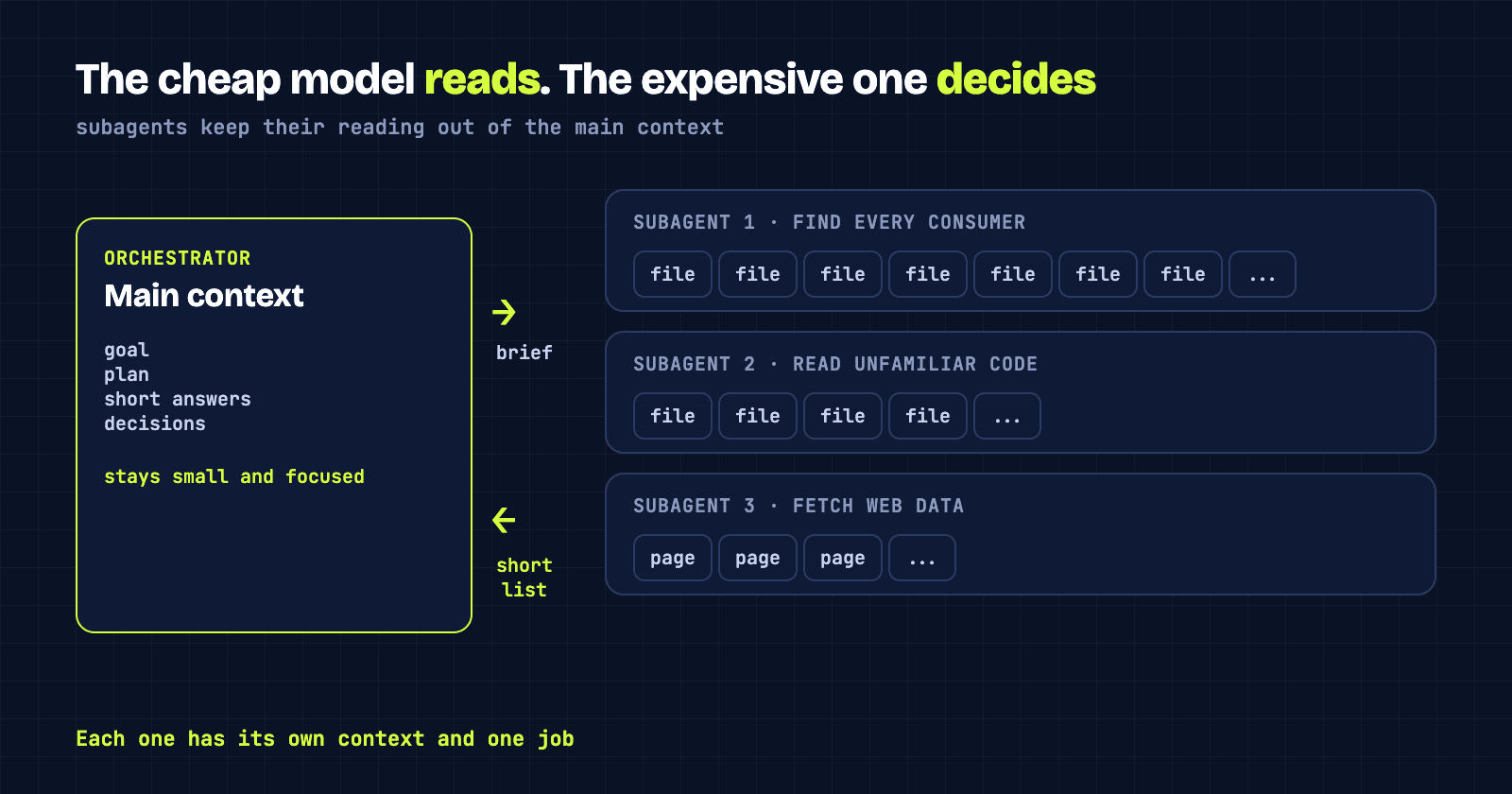
Say you're about to refactor something that a lot of code depends on. Before you change it, you need to know who uses it. If the main agent does that search itself, it reads dozens of files, and every one of them stays in its context for the rest of the session.
That is slow, it's the most expensive kind of model doing the cheapest kind of work, and it leaves the agent with a head full of irrelevant code when it comes time to make decisions.
#Hand the looking to someone else
A subagent is a separate Claude session with its own context window. You give it a task, it does the work, and it sends back a result. Everything it read along the way stays with it.
So for that refactor, I ask a subagent to find every consumer of the thing I'm changing, and report back a short list: where it's used, how, and anything unusual. The main agent gets a page of findings instead of forty files. I'm paying a cheaper model to do the reading, and the orchestrator's context stays focused on the actual decision.
I wrote last time about deciding where rules live. This is the other half: skills control what an agent knows, and subagents control who does the work.
#What I send down
The pattern is the same each time: work that is mostly reading or fetching, where the answer is small.
- Finding all the places a function, type or component is used before changing it.
- Reading an unfamiliar part of the codebase and explaining how it works.
- Looking up library documentation or fetching data from the web and summarising it.
- Running a well-defined, mechanical change across many files once the approach is decided.
What stays with the main agent is the judgement: choosing the approach, deciding what to change, and checking that what came back makes sense. I run a few specialised subagents with fixed roles (a planner, an implementer, a reviewer) and the orchestrator is the one that decides which to call.
A side benefit I hadn't expected: because each subagent has one job, it stays focused. It isn't carrying the whole conversation, so it isn't distracted by it.
#Where it goes wrong
The main failure is a vague task. If I tell a subagent to "look into the auth code", it has to guess what I care about, and it will pick a tool and an interpretation that suits its guess. I've had results that were confident, tidy and answered a slightly different question.
The second is tools. A subagent only has the tools you give it. If its set is thin or badly matched to the job, it can't choose the right one and improvises with what it has. Giving a research agent write access, or a code agent no way to run anything, both cause trouble in different directions.
And I never take a "done" at face value. A subagent reporting success tells me it finished, not that it was right. I read what came back before acting on it.
#A short brief beats a clever one
What works best for me is a brief that says the goal, the files or area to look at, what to return and how long, and what not to touch. Four or five lines. It reads like asking a new colleague for help, and they need the same things.
I haven't measured the savings and I'm not going to pretend I have. The benefit I'm sure of is the cleaner context in the main session. If you want to try it, start with one repeated lookup task you do by hand and give it to a subagent with a tight brief.