

Prefixed IDs in Prisma and Postgres: what they cost and when they're worth it
A practical look at Stripe-style prefixed IDs in Prisma: how nanoid, ULID, UUIDv7 and cuid2 compare, what string primary keys cost Postgres, and how to migrate.
- 5 min read
- PrismaPostgresTypeScriptDatabase
You are debugging an API response and it contains
8f14e45f-ceea-467a-9575-6c2c0b78b2a3. A user? An organisation? A
subscription? You cannot tell without opening a SQL client.
Stripe fixed this by putting the type in the ID: cus_ for customers, pi_ for
payment intents, sub_ for subscriptions. Stripe developer advocate Paul Asjes wrote up
the reasoning in
Designing APIs for humans: Object IDs.
#What prefixed IDs buy you
- Type identification wherever an ID travels: logs, error trackers, support tickets, exports.
- Wrong-ID bugs fail at the boundary. Pass an
org_where ausr_was expected and you can reject it outright, instead of debugging an empty result. Branded types die at serialisation; prefixes survive it. - Support staff can pattern-match without learning your schema.
- Friendlier URLs:
/orgs/org_x7fk2mbeats a bare UUID in a bug report.
Not a security boundary, and dead weight on IDs no human sees.
#Choosing a format
| Format | Length | Randomness | Sortable |
|---|---|---|---|
autoincrement() |
1 to 20 digits | none | yes |
| UUIDv4 | 36 chars | 122 bits | no |
| UUIDv7 | 36 chars | 48-bit timestamp + ~74 random | yes |
| ULID | 26 chars | 48-bit timestamp + 80 random | yes |
| cuid2 | 24 chars default | tuned to length | no, by design |
| nanoid | 21 chars default | 126 bits (default) | no |
All are URL-safe, and all but auto-increment are collision-free at realistic scale. Auto-increment also leaks: it is enumerable and exposes your row counts.
The decision that matters is sortability. nanoid and cuid2 are not sortable;
ULID and UUIDv7 are. If you paginate with a cursor over the primary key, or want
new rows landing near each other in the index, choose a sortable format. Postgres
18 ships uuidv7(), and Prisma supports uuid(7), ulid(), nanoid() and
cuid(2) as schema defaults.
This is independent of prefixing: any decent implementation lets you supply your
own generator, so org_ in front of a ULID is available.
#What it costs Postgres
- Storage: a prefixed ID is not a UUID, so you lose the native
uuidtype and its 16 bytes.usr_plus a 24-character nanoid is about 29 bytes oftext, under twice the width. - Index width: repeated in the primary key index, every foreign key column, and every index over them. Four foreign keys means paying it five times.
- Write behaviour: random keys scatter inserts, splitting pages and generating more write-ahead log traffic; sequential keys append to the rightmost leaf. An argument for sortable IDs, not against prefixes.
- Scale: noise below a few million rows; it shows in the tens of millions with sustained writes.
- The alternative: keep a narrow
bigintoruuidprimary key and add a prefixed public column with a unique index.
#Doing it by hand
- Schema defaults cannot express it.
@default(nanoid())has no idea it belongs to aUser. - Setting the ID at each call site works, and is completely unenforced. The first person to forget gets no error.
- A client extension is the right layer. Prisma 7 removed
$use, so it is also the only one left.
const prefixes: Record<string, string> = { User: 'usr', Organization: 'org' };

export const db = new PrismaClient().$extends({
  query: {
    $allModels: {
      create({ model, args, query }) {
        const prefix = prefixes[model];
        if (prefix && !args.data.id) {
          args.data = { ...args.data, id: `${prefix}_${nanoid(24)}` };
        }
        return query(args);
      },
    },
  },
});
#Where that quietly breaks
It handles create. Prisma creates rows in several other ways, and each slips
past:
- nested
createinside anothercreate, at any depth createMany, which never reaches the handlerconnectOrCreate, where only the create branch should get an IDupsert, with the same split- mixed create, connect and disconnect in one query
await db.organization.create({
  data: {
    name: 'Acme',
    members: { create: [{ email: 'ada@acme.test' }] },
  },
});
The organisation gets org_. The member gets the schema default. No error is
raised. You find out months later, when a validator assumes the prefix is there.
Handling it properly means walking the whole payload, resolving each branch back to its model, and leaving connects alone.
#Using the library
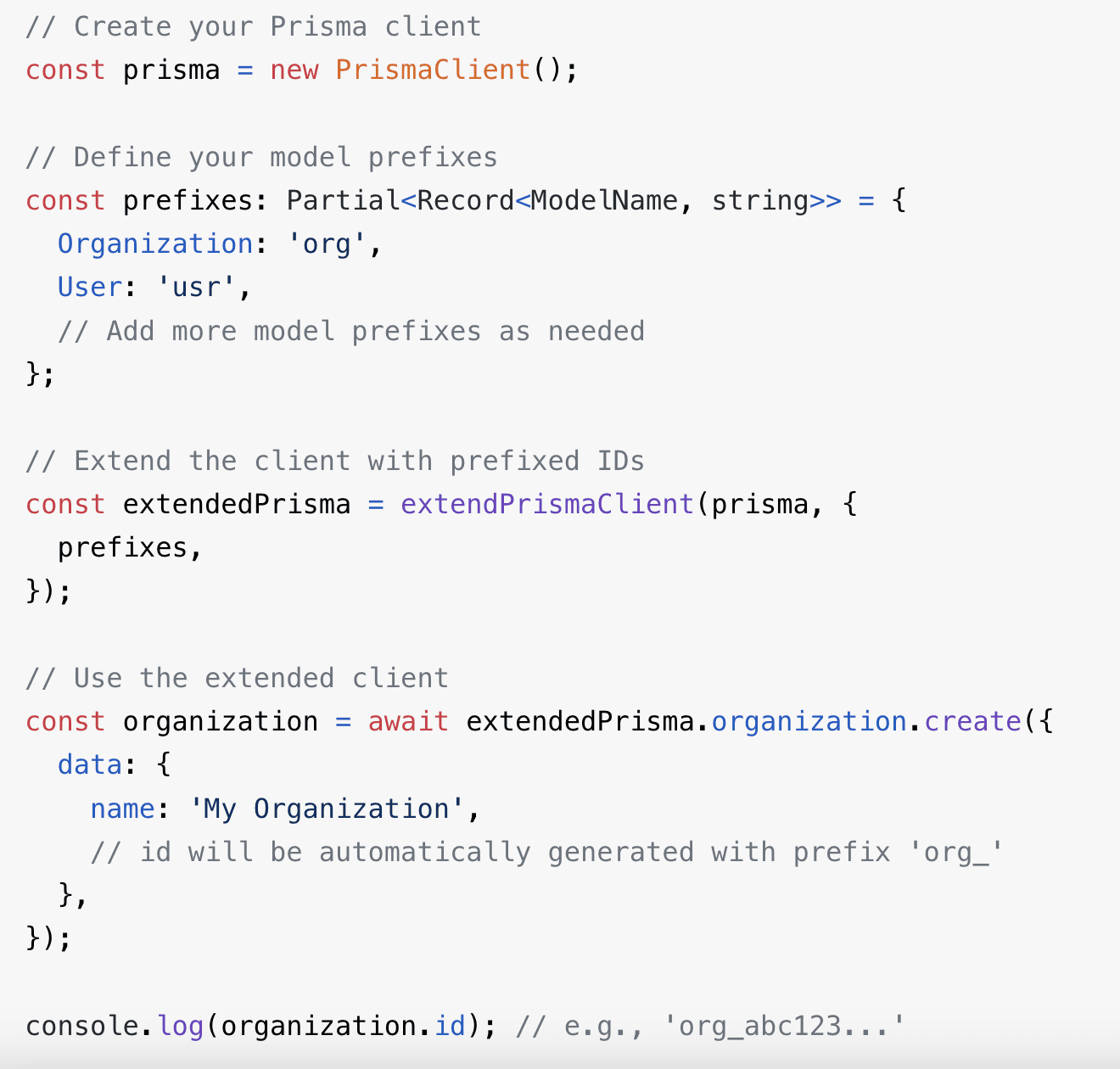
That work is packaged as prisma-prefixed-ids. MIT licensed, and I use it in my own production projects.
import { PrismaClient, Prisma } from './generated/prisma/client';
import { extendPrismaClient } from 'prisma-prefixed-ids';

const prefixes: Partial<Record<Prisma.ModelName, string>> = {
  Organization: 'org',
  User: 'usr',
};

export const db = extendPrismaClient(new PrismaClient(), { prefixes });
- Typing the map against
Prisma.ModelNameturns a renamed model into a compile error. If your setup does not expose it, the README documents astringfallback and a cast for awkward client types. - Pass a function instead of an object for larger schemas, returning
nullfor models to skip. - It only applies to models with a
Stringid. - Swap the generator to get sortable IDs:
idGenerator: (prefix) => \${prefix}_${ulid()}``.
#Migrating an existing database
You cannot retrofit prefixes without rewriting every foreign key that points at them. Three options:
- New records only. Mixed IDs forever. Fine if your validators accept both from day one.
- Full migration. A mapping table, then update primary keys and every referencing row in dependency order. Hard to do under load.
- A separate public column. Leave primary keys alone, add
publicIdwith a unique index, expose that. Usually right for a live app.
#Is it worth it?
- New project with a public API: yes. It pays off on the first confusing support ticket.
- Large existing database: not for the primary keys, but likely yes as a public identifier alongside them.
- IDs that never leave the database: over-engineering. Use a
bigint.